

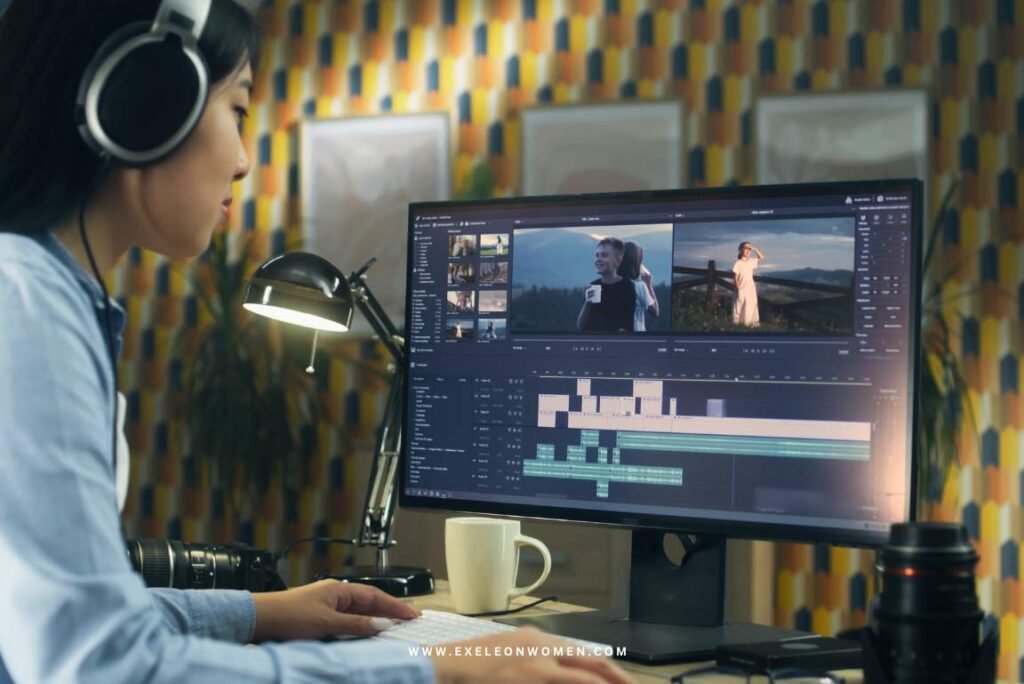
Video content is exploding across platforms like YouTube, Instagram, Reels, and Shorts, becoming the most powerful way to communicate online. Today, more than 3.7 billion people watch videos daily, making video creation an essential skill for creators, businesses, and beginners alike. As demand rises, so does the need for accessible tools—this is where the popularity of a free software video editor comes in.
In 2026, users are moving away from expensive subscriptions and turning toward free, feature-rich editing software that delivers professional results without cost. A free software video editor refers to tools that allow you to create, edit, and enhance videos at no cost, often with powerful features like transitions, effects, and even AI editing.
In this guide, you’ll discover the best free tools available and learn step-by-step how to edit stunning videos effortlessly.
Rise in Demand for Free Software Video Editor (2026 Trend Analysis)
The demand for a free software video editor is growing rapidly as video content becomes central to digital communication. The global video editing software market is projected to expand from approximately $3.75 billion in 2026 to nearly $4.99 billion by 2031, reflecting a steady annual growth rate of around 5–9%. Even more striking is the rise of AI-powered editing tools, which are expected to grow at over 40% CAGR, transforming how videos are created and edited.
Several factors are driving this surge. First, subscription fatigue is pushing users away from expensive paid tools toward free alternatives. At the same time, the creator economy is booming, with over 75 million creators worldwide producing content regularly. Platforms like YouTube and Instagram dominate user attention, with video accounting for nearly 82% of global internet traffic.
To stay competitive, many companies are now offering powerful free versions of their editing software, making professional-grade tools accessible to everyone.
Key Benefits of Using Free Software Video Editor
Using a free software video editor offers a range of advantages, especially for beginners, students, and content creators looking to produce high-quality videos without financial barriers. One of the biggest benefits is cost savings. Unlike premium tools that require monthly or yearly subscriptions, free editors eliminate upfront expenses, making them ideal for anyone starting out or working on a limited budget.
Another major advantage is beginner-friendly functionality. Most free video editors now include intuitive drag-and-drop interfaces and pre-built templates, allowing users to create polished videos quickly without needing advanced technical skills. This simplicity lowers the learning curve and speeds up the editing process.
In 2026, free tools are no longer basic—they now offer advanced capabilities once limited to paid software. Features like AI-powered editing, automatic captions, color grading, and motion graphics are increasingly available at no cost, helping users achieve professional-level results.
Additionally, cross-platform accessibility makes these tools even more convenient. Many free video editors work seamlessly across desktop, mobile, and browser-based platforms, allowing users to edit anytime, anywhere. For example, apps like CapCut and Canva enable flexible, on-the-go video creation.
Best Free Software Video Editor Tools in 2026
1. Professional-Level Tools
- Pros: Hollywood-level color grading, advanced editing tools, no watermark, powerful audio features
- Cons: Requires high-performance PC, steep learning curve
- Ideal Users: Professionals, filmmakers, advanced YouTubers
- Pros: Completely open-source, strong VFX and animation tools, highly customizable
- Cons: Complex interface, not beginner-friendly
- Ideal Users: Animators, VFX artists, advanced creators
2. Beginner-Friendly Tools
- Pros: Easy to use, AI features, trending templates, great for short videos
- Cons: Limited advanced controls
- Ideal Users: Beginners, social media creators
- Pros: Browser-based, simple interface, decent templates
- Cons: Some features locked behind paid plans
- Ideal Users: Casual editors, students
- Pros: Drag-and-drop simplicity, huge template library, great for marketing videos
- Cons: Limited timeline control
- Ideal Users: Marketers, beginners, small businesses
3. Open-Source Editors
- Pros: No watermark, supports many formats, flexible editing
- Cons: Interface feels outdated
- Ideal Users: Intermediate users, open-source enthusiasts
- Pros: Very simple UI, lightweight, beginner-friendly
- Cons: Limited advanced features, occasional lag
- Ideal Users: Beginners, low-end PC users
Features to Look for in a Free Software Video Editor
Choosing the right free software video editor depends on the features it offers. Even free tools in 2026 come packed with powerful capabilities, but knowing what to prioritize can make a big difference in your editing experience.
Essential Features
At a minimum, every good video editor should include timeline editing, which allows you to arrange and trim clips precisely. Transitions and effects are equally important for creating smooth scene changes and enhancing visual appeal. Additionally, built-in audio editing tools help you adjust volume, remove noise, and sync sound with video—crucial for producing professional-quality content.
Advanced Features
Modern free editors now include advanced features that were once only available in premium software. AI automation, for example, can automatically cut clips, generate captions, or apply effects. Multi-track editing allows you to layer videos, audio, and graphics for more complex projects. Support for 4K export is another key feature, ensuring your videos look sharp and high-quality on platforms like YouTube.
Limitations to Watch
Despite their advantages, free tools may have some drawbacks. Some editors add watermarks to exported videos, while others restrict export quality or formats. Performance issues can also arise, especially on low-end devices, affecting editing speed and smoothness.
Step-by-Step Guide: How to Edit Stunning Videos for Free

Creating professional-quality videos is easier than ever with a free software video editor. Follow these simple steps to transform raw clips into polished content.
Step 1: Choose the Right Editor
Start by selecting a tool that matches your skill level. Beginners can try apps like CapCut, while advanced users may prefer DaVinci Resolve for more control.
Step 2: Import Media Files
Upload your video clips, images, and audio into the editor. Organizing your files early makes editing faster and more efficient.
Step 3: Trim and Cut Clips
Remove unwanted parts, pauses, or mistakes. This helps keep your video concise and engaging.
Step 4: Add Transitions & Effects
Use transitions to smoothly connect clips and apply effects to enhance visuals without overdoing it.
Step 5: Add Music & Sound Effects
Background music and sound effects can boost emotional impact and keep viewers engaged.
Step 6: Add Text & Subtitles
Include titles, captions, and subtitles to improve accessibility and viewer retention.
Step 7: Color Correction & Filters
Adjust brightness, contrast, and colors to give your video a polished, professional look.
Step 8: Export in High Quality
Finally, export your video in formats like MP4 with resolutions such as 1080p or 4K, especially for platforms like YouTube.
Free vs Paid Video Editing Software (Comparison)
| Feature | Free Software Video Editor | Paid Video Editing Software |
| Cost | Completely free to use | Requires monthly or yearly payment |
| Features | Covers basic to some advanced tools | Offers full professional features |
| Watermark | May include watermark in exports | No watermark |
| Customer Support | Limited or community-based support | Dedicated customer support |
Challenges of Free Video Editing Software
While a free software video editor offers great value, it also comes with a few limitations that users should be aware of. One common issue is limited export quality—some tools restrict resolution or frame rates unless you upgrade to a paid version.
Another drawback is the presence of watermarks in certain editors, which can make your videos look less professional, especially for business or branding purposes. Performance can also be a concern, particularly on low-end PCs or mobile devices, where lag, crashes, or slow rendering may affect your workflow.
Additionally, free editors may lack some premium features such as advanced effects, extensive plugin support, or high-end motion graphics. While many tools are improving rapidly, these gaps can still impact users who need more control or professional-grade capabilities.
Future of Free Software Video Editor (2026–2030 Trends)
The future of the free software video editor is evolving rapidly, driven by innovation and accessibility. One of the biggest trends is AI-powered editing, where tools can automatically cut clips, generate captions, and apply smart effects, saving time and effort for creators. Apps like CapCut are already leading this shift with built-in AI features.
Cloud-based editing is another major development, allowing users to edit videos directly in their browser without downloading heavy software. Platforms such as Clipchamp make it possible to work from any device with internet access.
Mobile-first editing is also on the rise, with more creators using smartphones to produce and edit content on the go. Meanwhile, open-source tools like Shotcut continue to improve rapidly, thanks to strong community support.
Overall, the future points toward smarter, faster, and more accessible free editing solutions for everyone.
Tips to Create Professional Videos for Free
Creating high-quality content with a free software video editor is completely possible if you follow a few smart techniques. First, always use high-quality footage. Even the best editing tools can’t fix poor video quality, so shoot in good resolution whenever possible.
Next, keep your videos short and engaging. Platforms like YouTube and Instagram favor content that captures attention quickly and holds viewer interest.
Lighting is another crucial factor. Natural light or affordable lighting setups can dramatically improve the visual quality of your videos. Good lighting makes your content look more professional without any extra cost.
Adding subtitles is also highly effective. Many viewers watch videos without sound, so captions improve accessibility and boost engagement.
Finally, follow a clear storytelling structure start with a strong hook, deliver value in the middle, and end with a clear conclusion or call to action. Even simple edits can look professional when your content is well-structured and easy to follow.
FAQs
1. What is the best free software video editor in 2026?
Some of the best options include DaVinci Resolve for professionals and CapCut for beginners.
2. Can I create professional videos using free software?
Yes, many free tools now offer advanced features like color grading, effects, and AI editing, allowing you to produce professional-quality videos.
3. Do free video editors add watermarks?
Some free editors include watermarks, but many tools like Shotcut provide watermark-free exports.
4. Which free editor is best for YouTube videos?
For YouTube, tools like DaVinci Resolve and Clipchamp are great choices.
5. Are free video editing apps safe to use?
Most popular apps are safe if downloaded from official sources like app stores or trusted websites.
Conclusion
The growth of the free software video editor market has been remarkable, driven by the rising demand for video content and accessible creative tools. What was once limited to basic editing has now evolved into powerful software capable of competing with premium solutions. Today, free editors offer advanced features like AI tools, high-quality exports, and professional effects, making them a strong choice for a wide range of users.
These tools are ideal for beginners, content creators, and even businesses looking to produce engaging videos without heavy investment. With continuous innovation, especially in AI and cloud technology, free video editors are becoming smarter and more efficient. The future clearly points toward greater accessibility, where anyone can create stunning videos without cost or complexity.